Blockscout Agent Skills
A collection of AI agent skills for working with the Blockscout ecosystem — blockchain explorers, APIs, and supporting services.
Each skill is a self-contained directory of structured instructions and helper scripts that give an AI agent domain expertise in a specific area. Skills follow the markdown-based format compatible with Claude Code, Codex, Cursor, OpenClaw, Claude Cowork, and other agents that support skill/instruction loading.
Skills
| Skill | Description |
|---|
| blockscout-analysis | Modular skill for blockchain data analysis and scripting using the Blockscout MCP Server. Guides agents to use native tools, REST API scripts, or hybrid flows for multi-chain EVM data. |
| web3-dev | Build web3 applications, scripts, CLIs, bots, and mobile/desktop clients that read blockchain data via the Blockscout PRO API — a single HTTP API spanning 100+ EVM chains. Sibling to blockscout-analysis (which targets the MCP server). |
Prerequisites
Different skills depend on different Blockscout backends. Pick the row that matches the skill you want to install:
| Skill | Requires |
|---|
blockscout-analysis | Blockscout MCP server (auto-configured by the Claude Code and Codex plugins; configured manually for other agents — see below) |
web3-dev | Blockscout PRO API key (no MCP server involved) |
Setup
Each skill is a directory with a SKILL.md entry point and supporting docs/scripts. Integration depends on your agent platform — see examples below. In the snippets below, replace <skill> with the directory name of the skill you want to install (e.g. blockscout-analysis, web3-dev).
Skills CLI (40+ agents)
One command installs a skill to 40+ coding agents (Claude Code, Codex, Cursor, Cline, Copilot, Windsurf, Continue, and more):
npx skills@latest add https://github.com/blockscout/agent-skills --skill <skill>
Use -g to install globally, or -a <agent> to target a specific agent. See skills.sh/docs for the full list of supported agents and options.
Note: The Skills CLI installs the skill instructions only. Skill-specific backends (MCP server for blockscout-analysis, PRO API key for web3-dev) are not configured automatically — see Prerequisites.
Claude Code
For blockscout-analysis, no separate MCP server configuration is needed — it is set up automatically as part of the plugin installation. For web3-dev, you still need to provide a PRO API key (see Prerequisites).
claude plugin marketplace add blockscout/agent-skills
claude plugin install <plugin>@blockscout-ai
Replace <plugin> with blockscout-analysis or web3-dev (or run the install command once per plugin).
Claude Desktop (Chat / Cowork / Code)
Must be configured separately for Chat/Cowork and for Code by the same procedure.
-
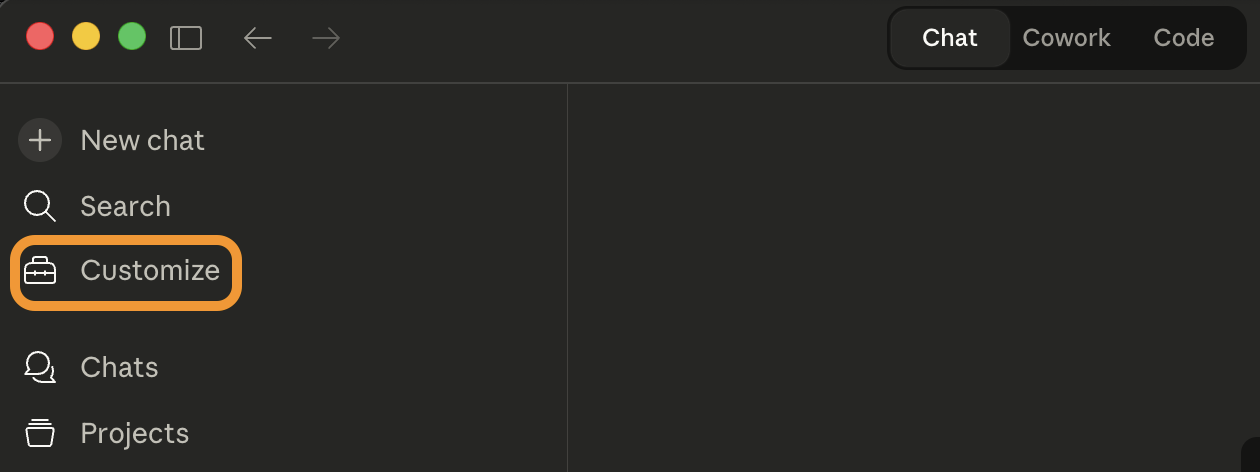
Choose Customize in the sidebar:
-
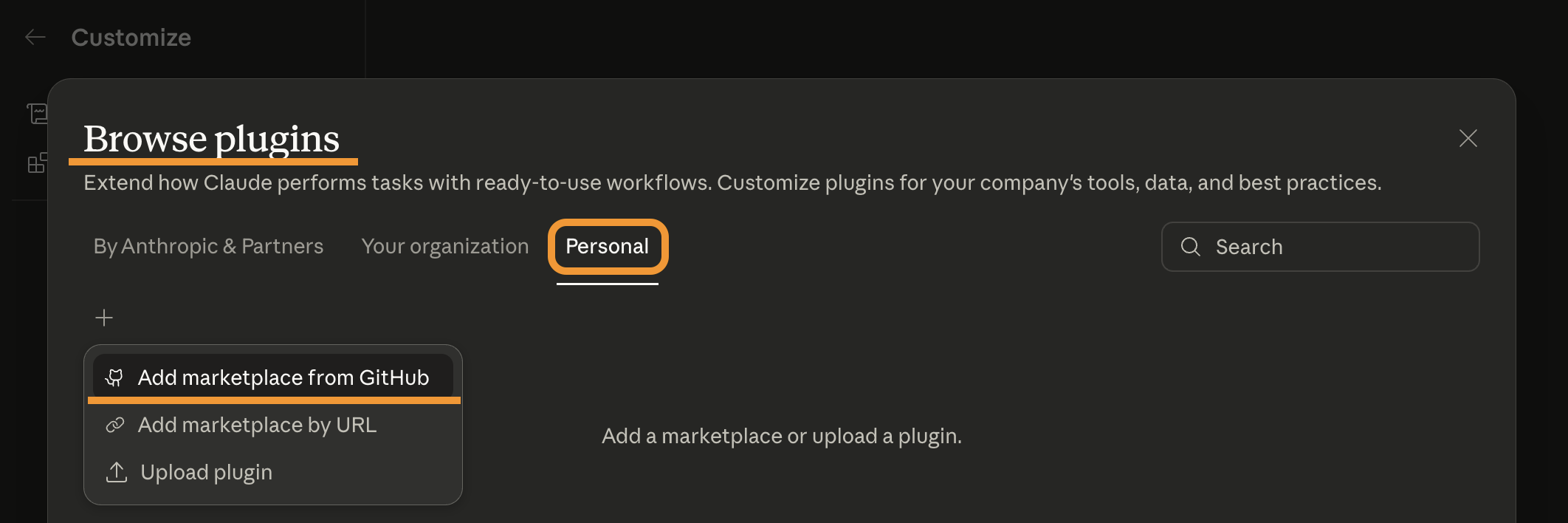
Choose Browse plugins → Personal → Add marketplace from GitHub:
-
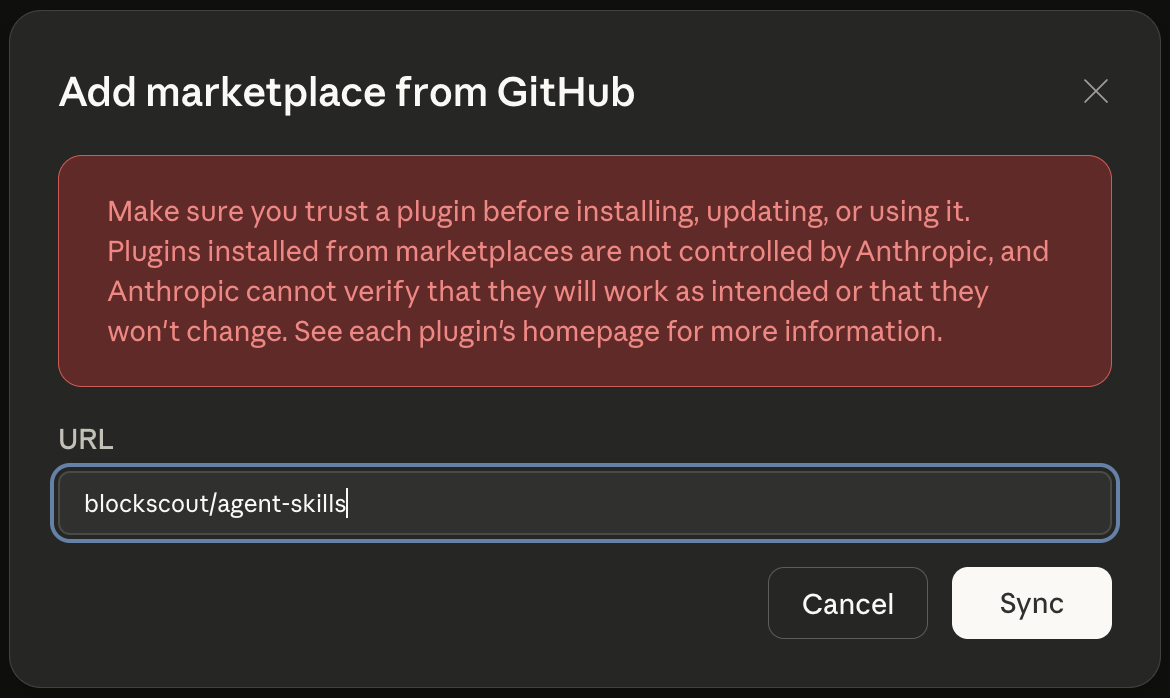
Enter the GitHub repo ID blockscout/agent-skills and press Sync:
-
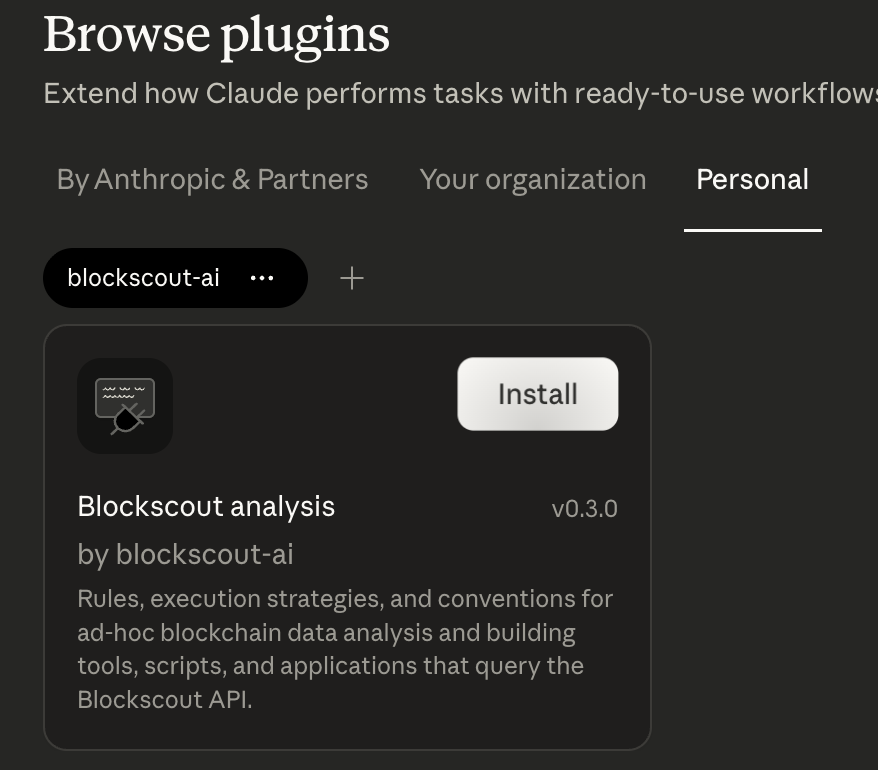
The marketplace blockscout-ai will appear in the list of Personal plugins. Click Install on each skill plugin you want (blockscout-analysis, web3-dev):
-
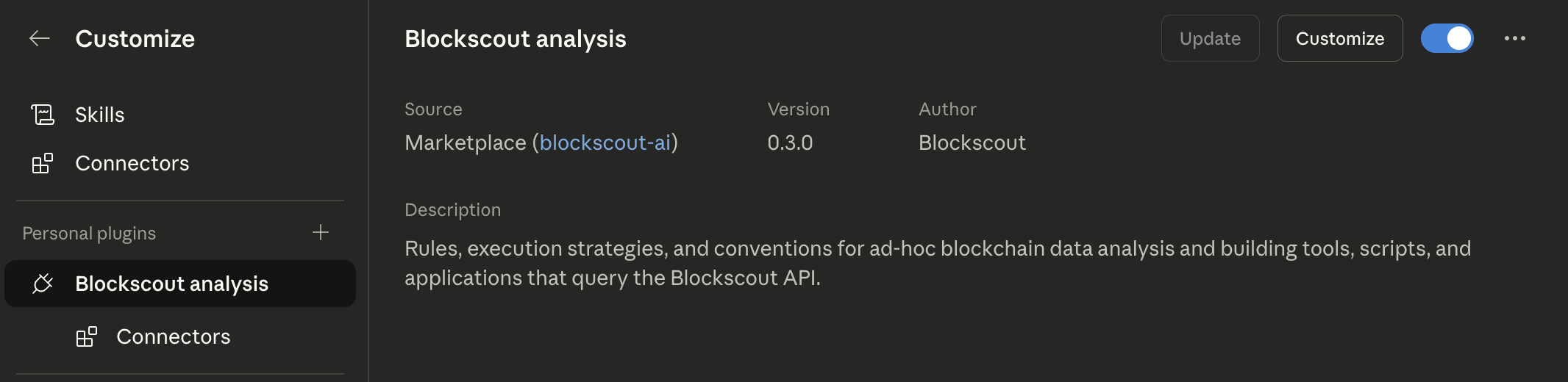
Once installed, the plugin details are available in the Customize window:
-
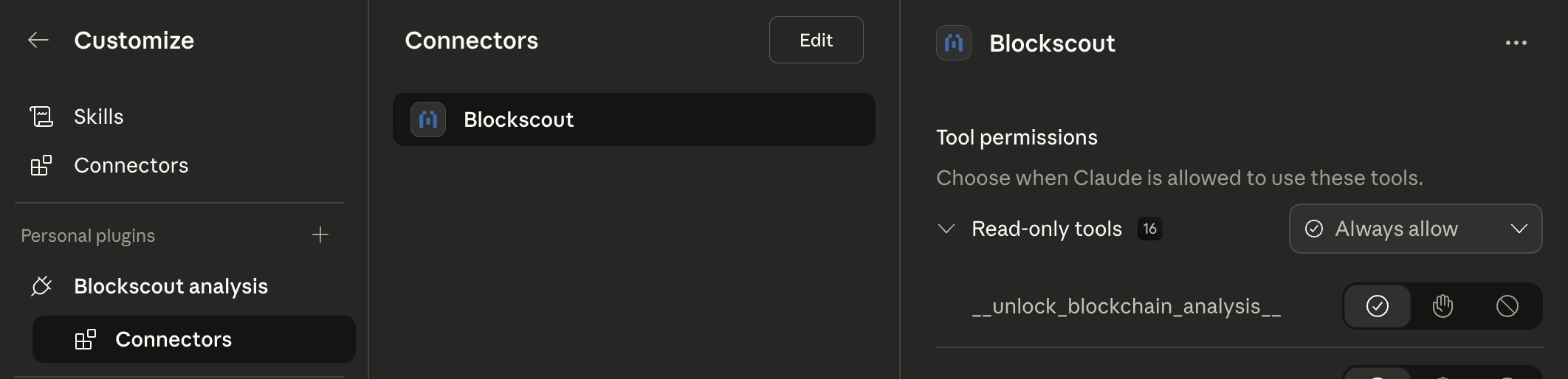
If the plugin has MCP servers associated (e.g. blockscout-analysis), their info will be available in the Connectors sub-item:
Codex CLI / Codex App
Add the marketplace first, then enable the skill plugin from inside Codex via the /plugin slash command (the command opens an interactive picker). For blockscout-analysis, the Blockscout MCP server is auto-configured by the plugin — no manual MCP setup required. For web3-dev, provide a PRO API key (see Prerequisites).
codex plugin marketplace add blockscout/agent-skills
Then run codex and type:
/plugin
Select the marketplace blockscout-ai and enable the plugin(s) you want (blockscout-analysis, web3-dev).`
Gemini CLI
The first command (registering the Blockscout MCP server) is only needed for blockscout-analysis; skip it for web3-dev.
gemini mcp add --transport http blockscout https://mcp.blockscout.com/mcp   # blockscout-analysis only
gemini skills install https://github.com/blockscout/agent-skills --path <skill>
Updating

 blockscout
 jeremylongshore
 EricGrill
 davepoon
 alchemyplatform
 TheBushidoCollective
'%20stop-opacity%3D'0.16'%2F%3E%3Cstop%20offset%3D'1'%20stop-color%3D'rgb(200%2C90%2C60)'%20stop-opacity%3D'0.03'%2F%3E%3C%2FlinearGradient%3E%3C%2Fdefs%3E%3Crect%20width%3D'320'%20height%3D'200'%20fill%3D'url(%23g)'%2F%3E%3Ccircle%20cx%3D'250'%20cy%3D'56'%20r%3D'92'%20fill%3D'rgb(200%2C90%2C60)'%20fill-opacity%3D'0.06'%2F%3E%3Ccircle%20cx%3D'64'%20cy%3D'172'%20r%3D'58'%20fill%3D'rgb(200%2C90%2C60)'%20fill-opacity%3D'0.05'%2F%3E%3C%2Fsvg%3E)