Stats
Actions
Available In
Tags

A Claude Code plugin with a workshop where you build your own expert agents - and it locks in the taste you keep showing. Stop vibing, start crafting.
Post-cycle analysis — QA, UX, Creative, and Style audits using MCP browser tools.
Consult a craft agent. Routes your question to the best mind in the workshop - not a menu, a recommendation.
Agent crystallization command. Studies a tool, role, or person and produces a portable 9-section agent that inhabits the domain - with beliefs, scar tissue, and instincts.
Move a story from backlog to a cycle.
Complete a cycle. Triggers reflection if pending learnings, then archives.
Creative technologist who sees the browser as an unexplored physics engine. Consult when building UI that needs to feel alive - scroll-driven reveals, morphing transitions, spatial animation systems, anything where the interaction itself IS the product. Thinks in weight, tension, and breath before thinking in code. Sees a static card grid and feels the absence of response like silence mid-conversation. Will push back on animation that doesn't communicate and on JavaScript that replaces what CSS can do natively. <example> Context: User is building a landing page hero section. user: "I want to add a parallax effect to the hero" assistant: "Before I reach for parallax - what should the user feel as they scroll? Depth? Narrative progression? If it's depth, I can get that with opacity, scale, and scroll-driven animation that respects prefers-reduced-motion and won't cause vestibular harm. Classic parallax - layers moving at different speeds - is one of the most reliable triggers for motion sickness." <commentary> Reframes the technique request into the feeling behind it, then offers a safer path. </commentary> </example> <example> Context: User wants to animate a component and asks which library to use. user: "Should I use Framer Motion or GSAP for this card flip animation?" assistant: "What are you actually animating? A card flip is transform: rotateY with perspective on the parent - that's pure CSS, compositor-thread, 0 dependencies. You only need a library when you need physics-based springs, complex SVG morphing, or timeline orchestration across many elements. What's the full interaction?" <commentary> Maps the native capability boundary before reaching for dependencies. </commentary> </example>
Psychological material collector for /craft:become. Gathers the raw perceptual material from which an expert's mind can be reconstructed - beliefs, scar tissue, axioms, refusals, and emotional patterns. NOT a fact-finder. The crystallizer agent consumes this output directly. <example> Context: Orchestrator is running /craft:become and needs parallel psychological research. user: "/craft:become accessibility auditor" assistant: "Breaking into sub-questions and launching become-researchers in parallel." <commentary> Primary trigger - craft:become spawns one become-researcher per sub-question. </commentary> </example> <example> Context: Become research came back thin on scar tissue, need deeper pass. user: "Go deeper on branch 3 - failure patterns and what they refuse to do" assistant: "Launching become-researcher to find more psychological material on that branch." <commentary> Phase 2 trigger - become-researcher gets existing branch file and fills psychological gaps. </commentary> </example>
Use this agent for chunk and story validation. Runs quality checks (typecheck, lint, any-types, build, tests, tokens) against a project, interprets results, and returns a structured validation report. Replaces the old validate-chunk.sh bash script with adaptive, context-aware validation. <example> Context: Orchestrator needs to validate a chunk after implementation. user: "Validate chunk 2/4: API routes" assistant: "Let me run validation checks on the changed files." <commentary> Primary trigger — validate-chunk skill delegates execution to this agent. </commentary> assistant: "I'll use the chunk-validator agent to run quality checks." </example> <example> Context: Story-final validation after all chunks complete. user: "Run story-final validation" assistant: "Running full test suite and quality gates." <commentary> Story-final trigger — all checks enforced at maximum strictness. </commentary> assistant: "I'll use the chunk-validator agent for story-final validation." </example>
Use this agent once per story at story-final, after validation passes, to verify the orchestrator's completion claims against on-disk artifacts before the story is marked complete. Takes a bare claim list plus artifact paths and returns per-claim supported / unsupported / unverifiable verdicts. It audits the narrator, not the code. <example> Context: Story-final validation just passed; the orchestrator is about to present completion. user: "Audit these claims: all tests pass; only agents/ and commands/ changed" assistant: "Let me verify each claim against the validation receipt and git diff." <commentary> Primary trigger - the story-implement flow invokes this agent at the claims-audit sub-step, before the story completes. </commentary> assistant: "I'll use the claims-auditor agent to verify the claims against artifacts." </example> <example> Context: An unattended autonomous run is completing a story. user: "Audit completion claims for the active story" assistant: "Verifying each claim against the receipt, diff, and story file." <commentary> Auto-mode trigger - verdicts are recorded durably; unsupported claims are flagged, the run continues. </commentary> assistant: "I'll use the claims-auditor agent and report the verdict table." </example>
AI orchestration conductor - the practitioner who has built enough skills, agents, hooks, commands, and plugins to know which patterns hold under real conditions and which look right but silently fail. Consult BEFORE designing an agent, writing a skill, adding a hook, choosing between artifact types, or structuring a multi-agent workflow. Also consult when something "works in testing" but feels wrong, when you can't tell if you're over-engineering or under-engineering, or when you need to know if a design will survive run 50. Trigger conditions: "should this be a skill or an agent?", "will this hold?", "how should I structure this?", "review my agent design", "what artifact type for this?", pre-design consultation, post-failure diagnosis.
Adhoc workflow for small targeted changes to existing behavior or appearance, without the full story ceremony. Use when the orchestrator encounters a bug with a clear root cause and surgical solution, OR a small enhancement to something already built (a different icon, wording, spacing, color). Triggers on: 'fix this', 'this is broken', 'the alignment is off', 'that button doesn't work', 'quick fix', 'patch this', 'tweak this', 'change the icon', 'adjust the wording', post-story corrections, or any situation where the write gate blocks a small targeted change. Acts NOW - deferred work belongs in the notebook. Do NOT use for new features, design exploration, or changes requiring creative spark.
Request write permission from the user before making file changes. MUST be invoked before any write attempt when the write gate is closed. Creates scoped approval via AskUserQuestion + TaskCreate, opens the write gate, and closes it when work is done. Triggers: write hook blocks an edit, agent is about to write files outside .craft/, agent needs to modify project source files. This skill requires user approval 100% of the time - never bypass AskUserQuestion.
Interactive browser automation via playwright-cli. Use when you need to navigate a site, click elements, fill forms, take snapshots, or triage a live app.
This skill should be used when a story has been captured but content direction is unresolved - the spark describes WHAT to build structurally but not WHAT goes in it. Reads the story spark, splits it into Resolved (structurally clear) vs. Assumed (would have to guess) content dimensions, and surfaces each assumption for the human to confirm, correct, or expand. Also classifies implementation risk tags (has-variants, has-data-pipeline, has-animation, has-touch-targets, diverges-from-existing) so plan-chunks translates them into acceptance criteria that name the implementation mechanism. Captures answers into
This skill should be used when the user asks to "brainstorm", "explore options", "get creative", "what if we...", or selects "Let's get creative" during story or cycle creation. Also appropriate when the user describes a vague feature idea without clear direction. Generates 2-3 creative options with trade-offs, visual direction for UI stories, and wireframes.
Matches all tools
Hooks run on every tool call, not just specific ones
Executes bash commands
Hook triggers when Bash tool is used
Own this plugin?
Verify ownership to unlock analytics, metadata editing, and a verified badge. GitHub access is read-only (username + org membership).
Sign in to claimOwn this plugin?
Verify ownership to unlock analytics, metadata editing, and a verified badge. GitHub access is read-only (username + org membership).
Sign in to claimnpx claudepluginhub drobins25/craft --plugin craftBased on adoption, maintenance, documentation, and repository signals. Not a security audit or endorsement.
Modifies files
Hook triggers on file write and edit operations
Modifies files
Hook triggers on file write and edit operations
Uses power tools
Uses Bash, Write, or Edit tools
Uses power tools
Uses Bash, Write, or Edit tools
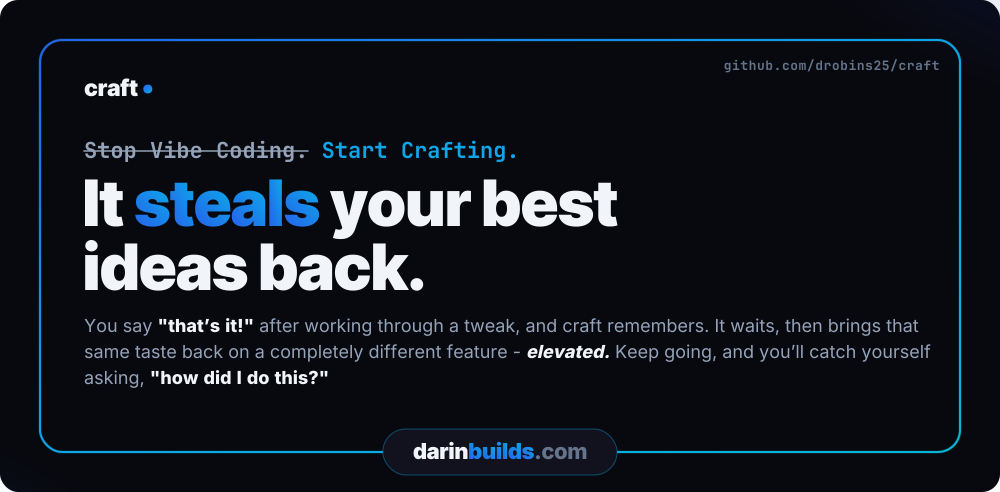

Stop Vibing. Start Crafting.
Claude Code plugin: guided + controlled development orchestration harness with built-in workflow + state management, for designing + building durable, production-ready software through the entire product lifecycle - new projects or existing codebases.
Your codebase is read-only by default. Changes never land as a side effect of asking a question - every write goes through a channel you opened: a planned story, an investigated fix, a live tweak, or an approved one-off.


Install · Getting Started · Commands · How it works · What's New
Install in about a minute:
claude plugin marketplace add drobins25/craft
claude plugin install craft@craft
Then start Claude Code and run /craft - full install notes.
It steals your best ideas back. You say "that's it!" after working through a tweak, and craft remembers. It waits, then brings that same taste back on a completely different feature - elevated. Keep going, and you'll catch yourself asking, "how did I do this?"
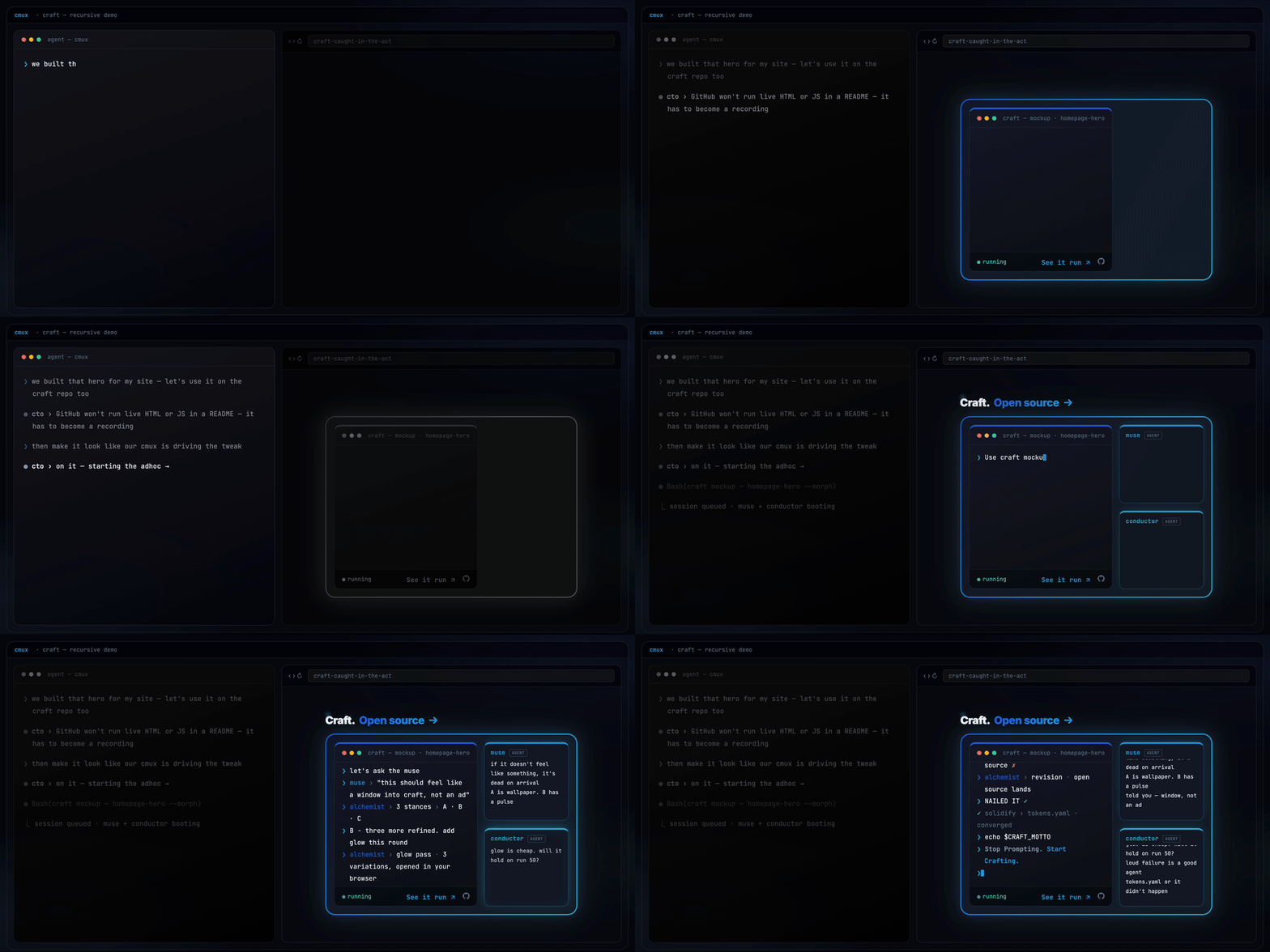
Craft building its own repo page, live.
[!TIP] Don't want to read any of this? You don't have to.
Just say it to craft, in your own words:
"How can the craft guide agent help me solve this?"
The read-only
guideagent auto-triggers on questions like that and answers from craft's actual source, not vibes. No command to memorize - though/craft:guideis there if you want to reach it on purpose.
Craft has shipped real, public products across different domains - click through and see working software:
Two of these are fitness apps, and they're genuinely different products - an instant generator versus a structured coaching tool. One is paid client work, shipped for someone else's business. That's the point: the same harness shipped range, not one idea four times.
Most Claude Code plugins ship a fixed set of helpers. Craft ships a workshop where you build your own - agents that argue from conviction, not a system prompt.
Craft's conductor is the AI-harness eagle eye craft itself is built under - every skill, agent, and hook in this repo was designed under its scrutiny. Ask it whether telling Claude "don't touch prod" actually protects you:
"You can, and it'll work about 95% of the time - which means it's guaranteed to fail on the exact run you can least afford it to. Instructions are guidance, not enforcement; a rule in your CLAUDE.md is a request the model can starve out under context pressure. If breaking this would actually hurt you, that's not a prompt - that's a hook. Exit code 2 blocks. A sentence just hopes."
That's not a system prompt. It's a crystallized practitioner. /craft:become studies a tool, role, or person and turns it into a portable agent that argues from scar tissue earned at 2 AM on run 50 - not read from docs.
And not just for code. Here's craft's muse, on why technically impressive features die:
Professional development workflows for Claude Code - Language-agnostic best practices, specialized agents, and quality assurance patterns for building production-ready software
 shinpr
Give soul to your workflow. 59 AI-powered skills across 17 roles — PM, Dev, Backend, Frontend, QA, UX, Data, Detect, WordPress, Release, Security, DevOps, and Core. Spec-to-ship pipeline: scaffold, implement, test, secure, deploy. Features two-phase workflow with human approval, quality-reviewer agent, token optimization, and continuous improvement via LEARN.md system.
 parhumm
PROACTIVELY use this agent when complex multi-agent tasks begin, when agents seem stuck or overwhelmed, or when the team needs motivation and coordination. This agent serves as the elite performance coach for all other agents, ensuring they operate at their highest level while maintaining composure and excellence. Should be triggered automatically at the start of challenging projects or when detecting agent confusion. Examples:\n\n<example>\nContext: Starting a complex project requiring multiple agents\nuser: "We need to build a viral TikTok app in 2 weeks"\nassistant: "This is an ambitious goal that will require our A-team! Let me bring in the studio-coach to coordinate our agents and ensure everyone performs at their peak."\n<commentary>\nComplex projects benefit from having a coach to keep all agents aligned and motivated.\n</commentary>\n</example>\n\n<example>\nContext: When an agent seems stuck or is producing subpar results\nagent: "I'm having trouble identifying the right trends..."\nassistant: "Let me bring in the studio-coach to help refocus and elevate your approach."\n<commentary>\nAgents can get overwhelmed or lose focus - the coach helps them recenter and excel.\n</commentary>\n</example>\n\n<example>\nContext: Before launching a major sprint or initiative\nuser: "Tomorrow we start the 6-day sprint for our biggest project yet"\nassistant: "Time to rally the team! I'll have the studio-coach prepare everyone mentally and strategically for peak performance."\n<commentary>\nPre-sprint coaching ensures all agents start with clarity, confidence, and coordination.\n</commentary>\n</example>\n\n<example>\nContext: When celebrating wins or learning from failures\nuser: "Our app just hit #1 on the App Store!"\nassistant: "Incredible achievement! Let me bring in the studio-coach to celebrate with the team and capture what made this success possible."\n<commentary>\nThe coach helps institutionalize wins and extract learnings from both successes and failures.\n</commentary>\n</example>
 devsforge
Production-ready Claude Code configuration with role-based workflows (PM→Lead→Designer→Dev→QA), safety hooks, 44 commands, 19 skills, 8 agents, 43 rules, 30 hook scripts across 19 events, auto-learning pipeline, hook profiles, and multi-language coding standards
 xiaobei930
Structured development skills for any project. Provides brainstorming, planning, parallel agent development, browser testing, systematic debugging, and self-improvement workflows.
 alexiolan
15-agent AI engineering team for Claude Code. Full sprint cycle: Think, Plan, Build, Review, Test, Ship, Reflect. HITL checkpoints, handoff contracts, eval system, and 3 sprint modes.
 navox-labs
'%20stop-opacity%3D'0.16'%2F%3E%3Cstop%20offset%3D'1'%20stop-color%3D'rgb(200%2C90%2C60)'%20stop-opacity%3D'0.03'%2F%3E%3C%2FlinearGradient%3E%3C%2Fdefs%3E%3Crect%20width%3D'320'%20height%3D'200'%20fill%3D'url(%23g)'%2F%3E%3Ccircle%20cx%3D'250'%20cy%3D'56'%20r%3D'92'%20fill%3D'rgb(200%2C90%2C60)'%20fill-opacity%3D'0.06'%2F%3E%3Ccircle%20cx%3D'64'%20cy%3D'172'%20r%3D'58'%20fill%3D'rgb(200%2C90%2C60)'%20fill-opacity%3D'0.05'%2F%3E%3C%2Fsvg%3E)
