Stats
Actions
Available In
Tags

Builds and polishes production-ready UIs with a systematic design engineering process: anti-slop patterns, design tokens, accessibility audits, responsive/motion passes, and state hardening. Includes read-only agents for adversarial design critique and accessibility auditing.
Write or update the project's durable design brief at .ui-craft/brief.md.
UX copy review across buttons, errors, empty states, and form hints — critiques by default, applies only on request. Use when copy feels vague, generic, or AI-sounding, or when the user says "fix the labels", "improve error messages", or "review the copy".
Color strategy pass — introduces a single accent at 3-5 intentional placements, or reduces an over-colored UI back to 90% neutral. Use when the UI has no color identity, uses blue by default, or is shouting with too many competing accents.
One-shot build pipeline for a complete surface from an outcome recipe — inputs (or defaults) → composition → theme → build order → acceptance bar. Use when the user asks for a whole surface ("build me a dashboard", "hazme un dashboard") and expects a shippable result, not component-level help.
Design lens critique covering visual hierarchy, clarity, and anti-slop patterns — produces a findings table, no code edits unless asked. Use when the user wants a design review, says "what's wrong with this UI", or needs a second opinion before a handoff or presentation.
Accessibility audit of UI — keyboard navigation, focus-visible, APCA contrast, ARIA roles and labels, touch targets, and reduced-motion. Use to audit a diff, file, or surface for accessibility issues.
Adversarial design critique on a diff, file, or rendered surface. Use to review UI/design quality or audit a diff/PR for design issues. One of a parallel verify team alongside a11y-auditor.
Dense dashboard / admin / Bloomberg / Retool / data-heavy internal tools. Locked knobs: CRAFT=7, MOTION=3, DENSITY=9. IBM Plex + mono numbers, semantic palette, 4/8px grid, sparklines, tabular-nums. Trigger on: dashboard, admin panel, data-dense, analytics, Bloomberg-like, Retool-like.
Editorial / magazine / long-form / Medium / Substack / content-heavy UIs. Locked knobs: CRAFT=9, MOTION=4, DENSITY=3. Serif display + humanist body, wide reading column, drop caps, OpenType. Trigger on: editorial, magazine, long-form, blog, Medium-like, Substack-like.
Minimal / clean / Linear / Notion / Vercel / whitespace-heavy UIs. Locked knobs: CRAFT=8, MOTION=3, DENSITY=2. Monochrome + one accent, Inter/Geist, hairline borders over shadows. Trigger on: minimal, clean, Linear-like, Notion-like, Vercel-like, whitespace-heavy.
Use for UI design and implementation work to avoid generic AI-looking interfaces. Provides anti-slop rules, a required discovery phase before coding, and guidance for layout, typography, color, motion, accessibility, dashboards, tables, landing pages, theming, and polish. Trigger when editing UI code or reviewing and refining components, pages, screens, layouts, animations, responsive behavior, or design systems.
Own this plugin?
Verify ownership to unlock analytics, metadata editing, and a verified badge. GitHub access is read-only (username + org membership).
Sign in to claimOwn this plugin?
Verify ownership to unlock analytics, metadata editing, and a verified badge. GitHub access is read-only (username + org membership).
Sign in to claimBased on adoption, maintenance, documentation, and repository signals. Not a security audit or endorsement.
Ship designer-grade UI by default. A design engineering skill for AI coding agents — ask for a dashboard, get one you'd put in production. Not gradient cards and bounce animations.
Website: skills.smoothui.dev

/craft dashboard
Three questions (or none — the defaults are strong), a named composition, a production theme preset, and a build that must pass a 10-item acceptance bar before it reports done: "would a designer retouch this?" If a box fails, it isn't done.
For everything else — reviews, animations, forms, polish — the skill routes by intent: just describe what you're building.
UI Craft gives AI coding agents the design knowledge they're missing. Not templates. Not component libraries. Actual craft knowledge — 30 domain references of opinionated rules about how interfaces should look, move, and feel, plus 21 slash commands to run focused passes on existing code. Stack-agnostic by design.
Every UI gets tested against a single question: "Would someone believe AI made this?" If yes, it starts over.
What makes this different: the only AI design skill that produces a scoreable, defensible critique — Nielsen's 10 usability heuristics × 6 classic design laws (Fitts, Hick, Doherty, Cleveland-McGill, Miller, Tesler) × 5 persona walkthroughs, with every finding tagged by business impact (blocks-conversion / adds-friction / reduces-trust / minor-polish). Paste the scorecard straight into any issue tracker.
Without UI Craft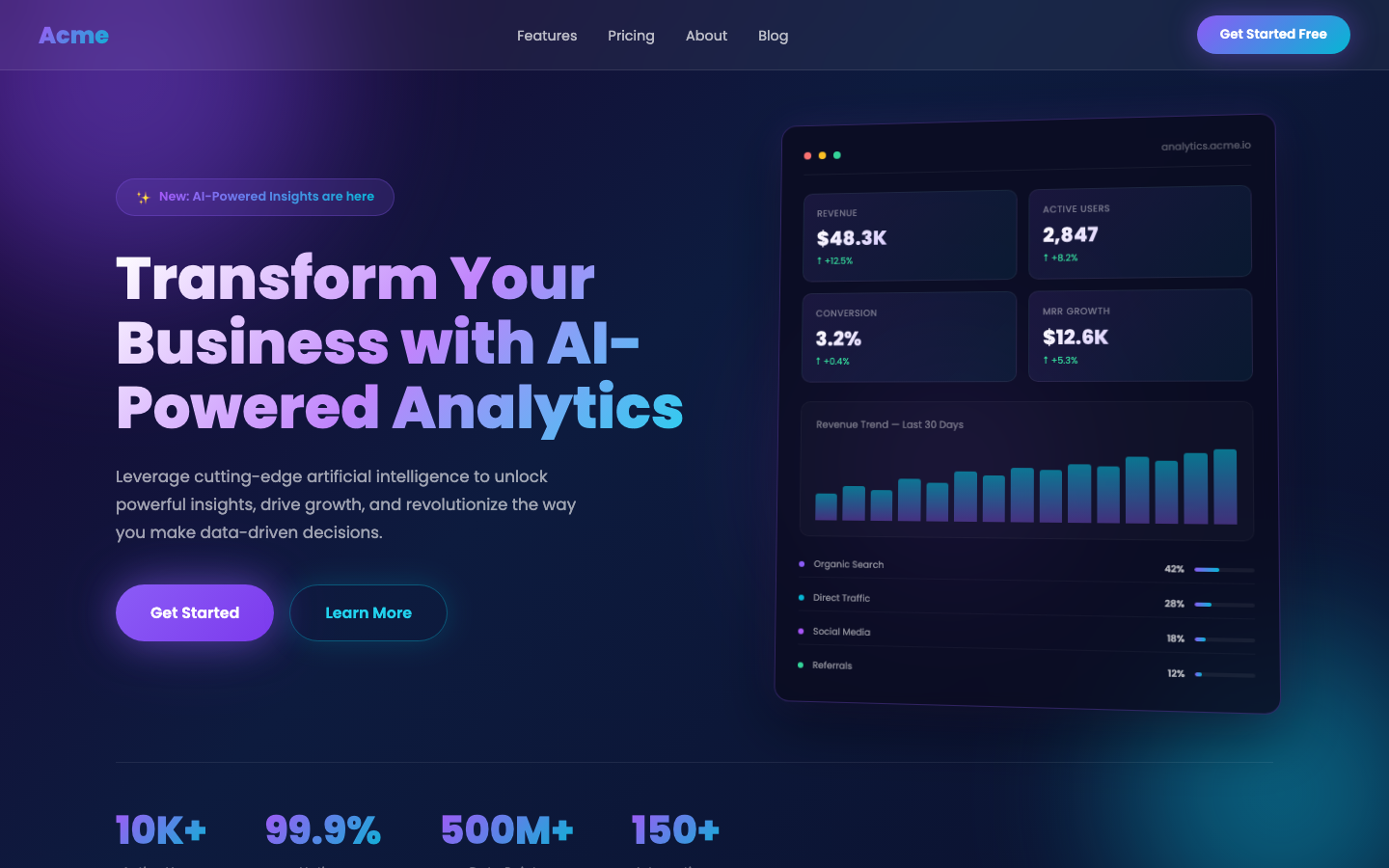 | With UI Craft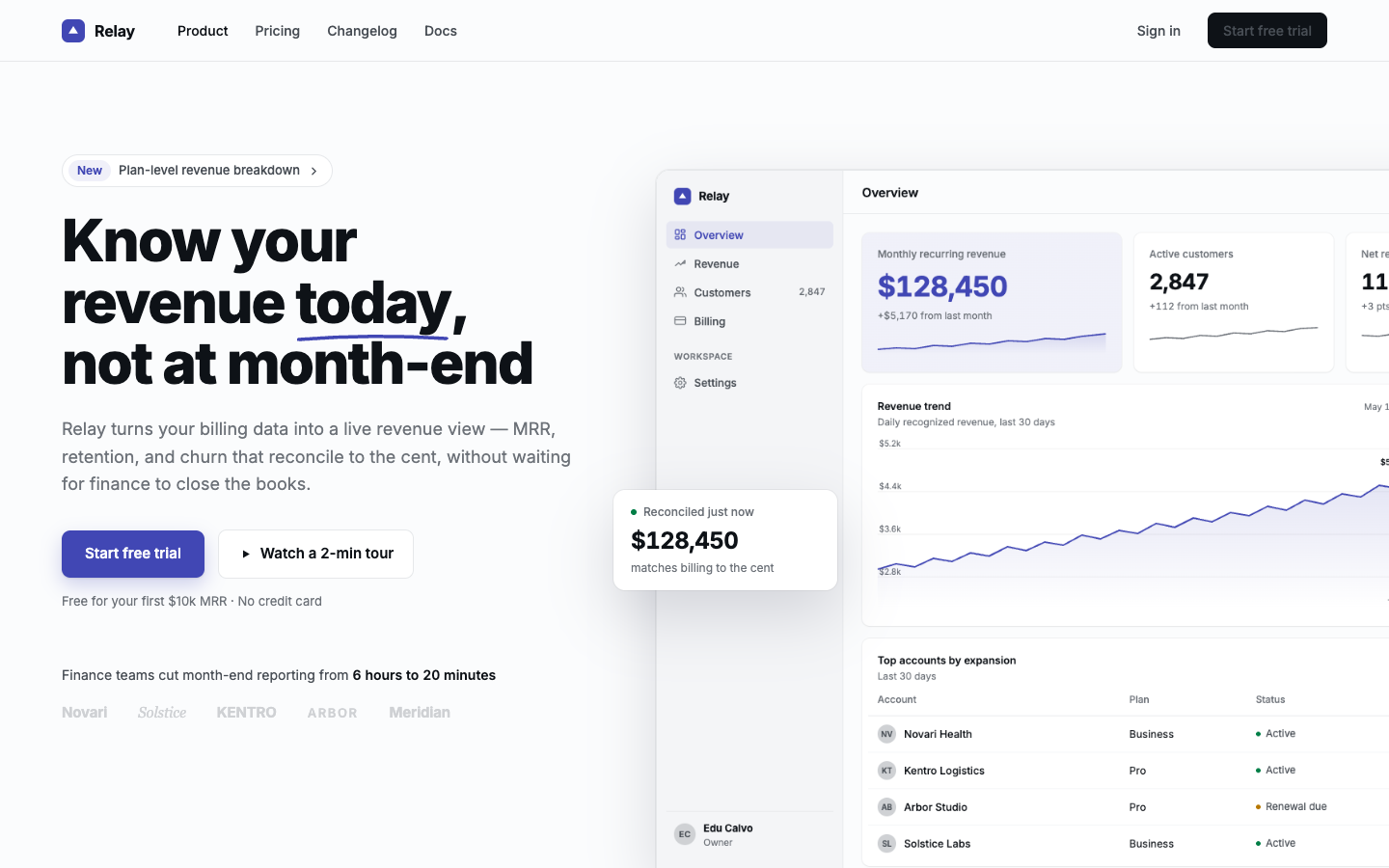 |
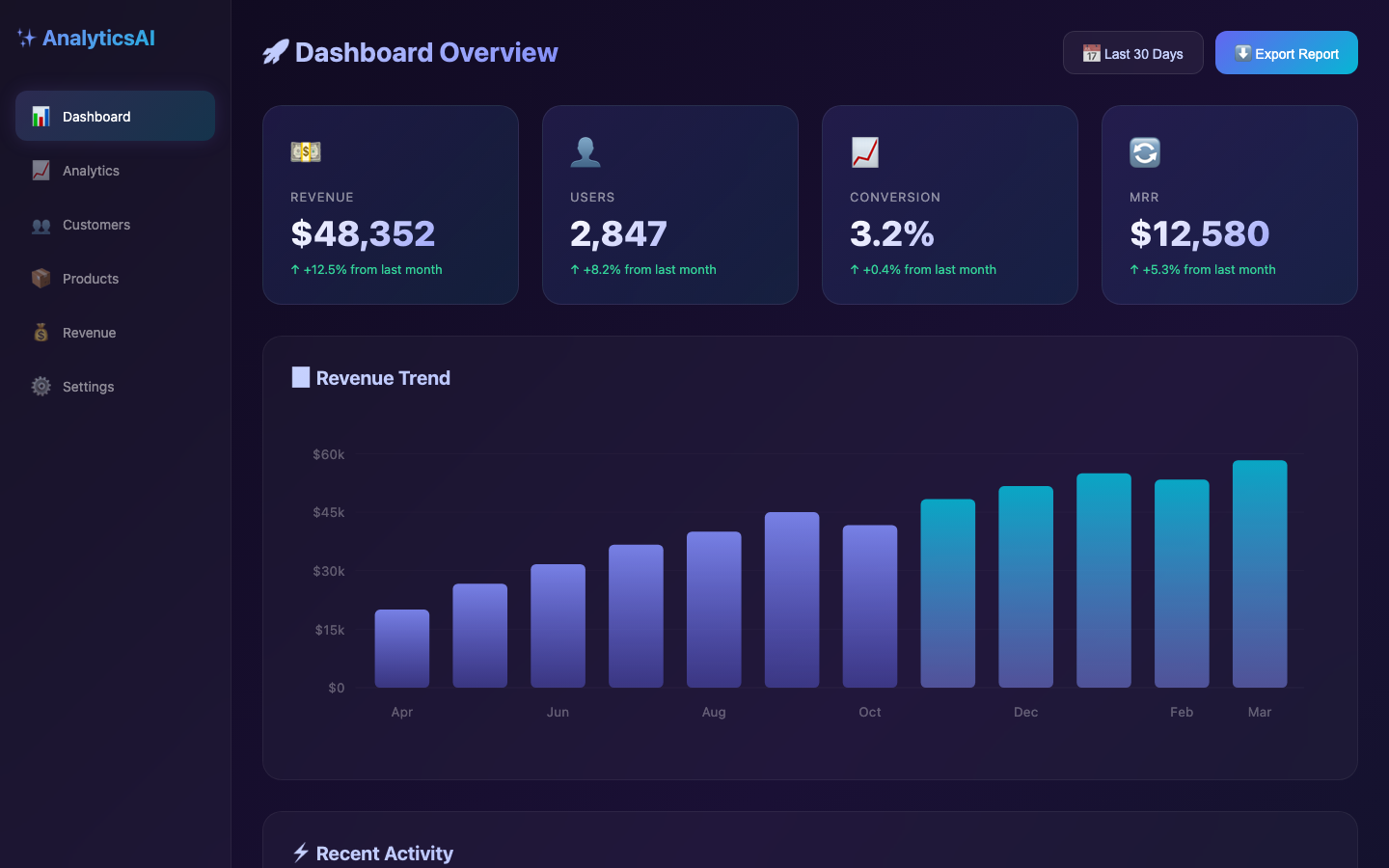 | 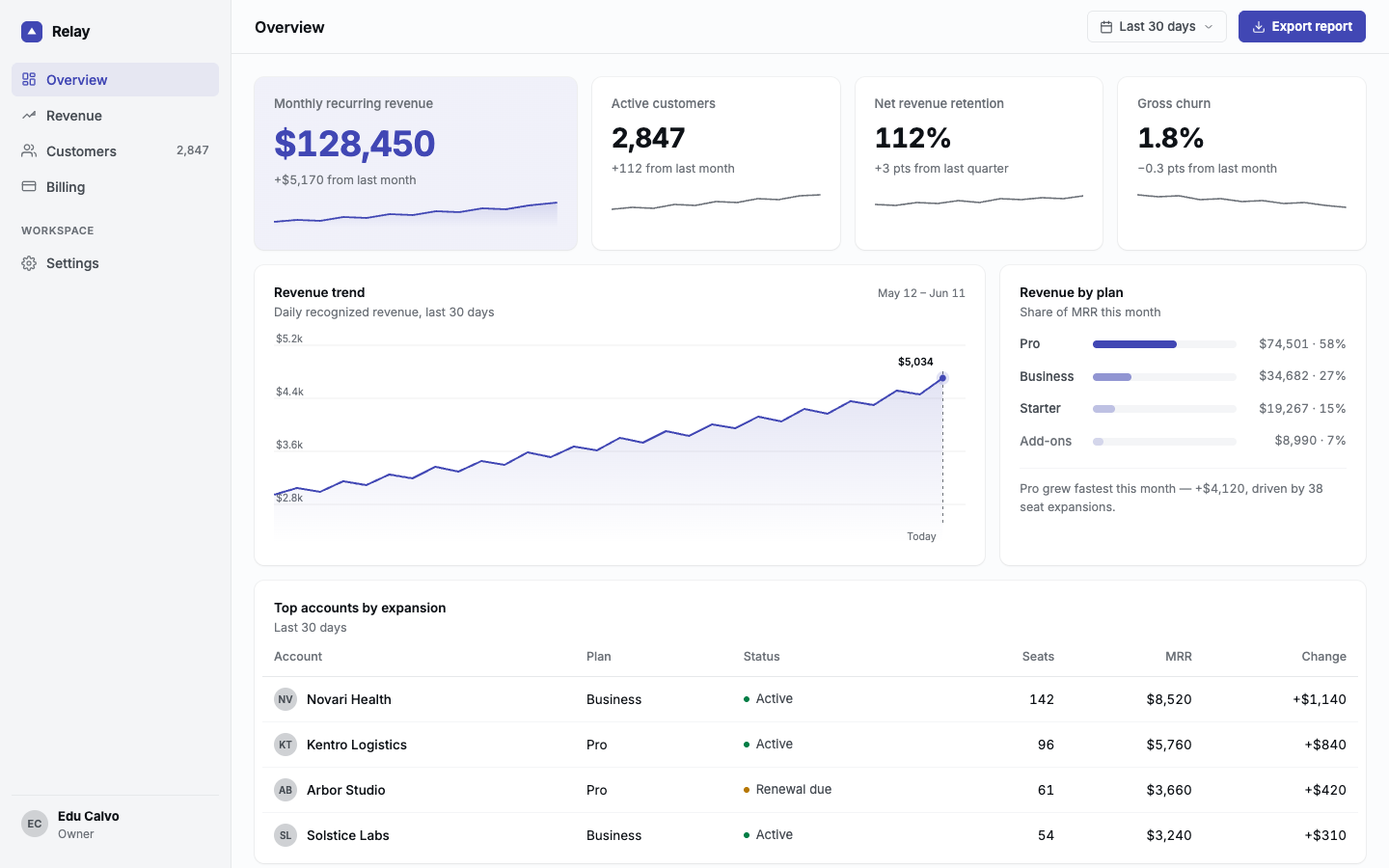 |
More before/after comparisons on the landing page.
Install as a native plugin (the skill + all 21 slash commands):
/plugin marketplace add educlopez/ui-craft
/plugin install ui-craft
This uses Claude Code's own plugin system, so it's not affected by the global-path issue noted below.
npx skills add educlopez/ui-craft
Works with any agent that supports the Agent Skills spec. Each agent gets a pre-built mirror under a dedicated folder (.codex/, .cursor/, .gemini/, .opencode/, .agents/). The main ui-craft skill lands as a peer skill; each slash command is materialized as its own sub-skill in non-Claude harnesses (other agents trigger them by intent: "audit my UI", "polish this page").
[!note] Using
npx skills add -gwith Claude Code? The skills CLI installs global skills to~/.agents/skills, but Claude Code reads~/.claude/skills(vercel-labs/skills#693). If the skill isn't picked up, use the plugin install above, install per-project (drop-g), or symlink it:ln -s ~/.agents/skills/ui-craft ~/.claude/skills/ui-craft
Full reference docs: skills.smoothui.dev/docs.
# Clone
git clone https://github.com/educlopez/ui-craft.git ~/.skills/ui-craft
# Git submodule
git submodule add https://github.com/educlopez/ui-craft.git .skills/ui-craft
Before building anything, the skill analyzes your project for existing design decisions — CSS variables, Tailwind config, font imports, component themes. If your project already has a design system, it respects it. If not, it asks 4 quick questions (style, accent color, font, optional animation stack) so it never defaults to generic blue/Inter.
Three numeric knobs (1-10) that the skill asks about during Discovery. They change behavior, not just tone.
| Knob | 1 | 10 |
|---|---|---|
| CRAFT_LEVEL (default 7) | ships fast, skips Polish Pass | pixel-perfect, compound details applied |
| MOTION_INTENSITY (default 5) | hover states only | scroll-linked, page transitions, magnetic cursor |
| VISUAL_DENSITY (default 5) | whitespace-heavy editorial | dashboard-dense |
At MOTION_INTENSITY 8+ the skill loads references/stack.md only if the user opts into Motion / GSAP / Three.js during Discovery.
Three opt-in sibling skills that pre-commit to a style and lock the knobs to matching values. Agents pick them when the user mentions a specific aesthetic or product reference.
npx claudepluginhub educlopez/ui-craftThe prettiest statusline for Claude Code — pure bash, never blocks your prompt. Usage quota, context window, git status & more.
 educlopez
Two expert agents for PrestaShop freelance work: panda-expert (Panda theme + Easy Builder) and prestashop-expert (PrestaShop 8/9 core: Symfony, Twig BO, Smarty, hooks, themes, modules, migration). Bundled with a curated knowledge base.
educlopezComprehensive UI/UX design plugin for mobile (iOS, Android, React Native) and web applications with design systems, accessibility, and modern patterns
 wshobson
Use this agent when creating user interfaces, designing components, building design systems, or improving visual aesthetics. This agent specializes in creating beautiful, functional interfaces that can be implemented quickly within 6-day sprints. Examples:\n\n<example>\nContext: Starting a new app or feature design
 ccplugins
Design engineering for Claude Code. Build production-grade interfaces with strong visual hierarchy, review craft against an approval bar, and strip AI design slop. Self-contained — direction, hierarchy, tokens, polish, and motion in one skill.
 Dammyjay93
Plug-and-play MCP that gives your agent UI superpowers. One install: design skill + MCP server, zero config.
 Pythoughts-labs
Production-grade frontend interfaces that avoid generic AI aesthetics. Based on Anthropic's Frontend Designer Skill with bold creative commitment.
 bencium
Design fluency for frontend development. 1 skill with 23 commands (/impeccable polish, /impeccable audit, /impeccable critique, etc.) and curated anti-pattern detection.
 pbakaus
'%20stop-opacity%3D'0.16'%2F%3E%3Cstop%20offset%3D'1'%20stop-color%3D'rgb(200%2C90%2C60)'%20stop-opacity%3D'0.03'%2F%3E%3C%2FlinearGradient%3E%3C%2Fdefs%3E%3Crect%20width%3D'320'%20height%3D'200'%20fill%3D'url(%23g)'%2F%3E%3Ccircle%20cx%3D'250'%20cy%3D'56'%20r%3D'92'%20fill%3D'rgb(200%2C90%2C60)'%20fill-opacity%3D'0.06'%2F%3E%3Ccircle%20cx%3D'64'%20cy%3D'172'%20r%3D'58'%20fill%3D'rgb(200%2C90%2C60)'%20fill-opacity%3D'0.05'%2F%3E%3C%2Fsvg%3E)