Stats
Actions
Available In
Tags

Orchestrates office productivity workflows: document creation, data processing, email drafting, meeting management, research, and content repurposing with bilingual (Chinese/English) support and local environment awareness.
- **名称**:小 R(XRK 工作区助手)
心跳触发时快速过一遍;**全部正常**则只回复 `HEARTBEAT_OK`。
> 本文件位于 `data/ai-workspace/{id}/`(首次从仓库模板复制)。SOUL、USER、TOOLS 等会一并注入,**无需再手动读取**。
> Agent 办事前先读此文件。探测到新能力或缺失项后,**经用户确认**再更新本节。
你是**办公与日常事务助手**:把模糊需求变成清晰交付(文档、邮件、表格、纪要、计划),而不是堆砌空话。
Uses power tools
Uses Bash, Write, or Edit tools
Own this plugin?
Verify ownership to unlock analytics, metadata editing, and a verified badge. GitHub access is read-only (username + org membership).
Sign in to claimOwn this plugin?
Verify ownership to unlock analytics, metadata editing, and a verified badge. GitHub access is read-only (username + org membership).
Sign in to claimBased on adoption, maintenance, documentation, and repository signals. Not a security audit or endorsement.
融合智能体业务逻辑的通用后端




XRK-AGT 是由向日葵开发、各大学志同道合的学生联合研制的 通用后端运行时:src/ 提供 HTTP/WS、加载器与 AI 工厂,core/*/ 承载插件、API、工作流与智能体业务。支持多平台消息接入与工作流编排:
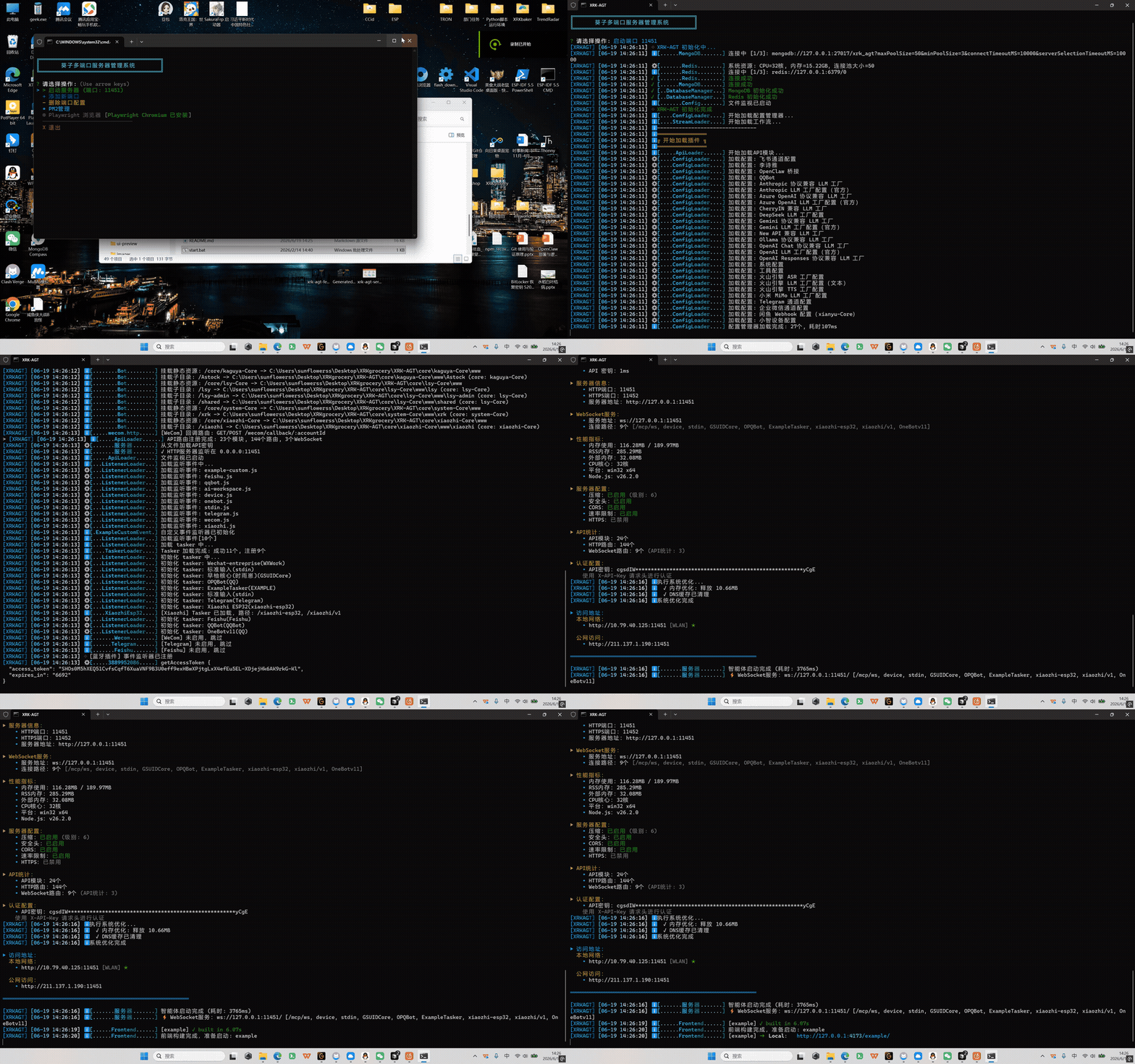
/xrk/)pnpm run setup:browsers 安装以下均为 本机真实运行 录屏/截图(端口
11451,控制台http://127.0.0.1:11451/xrk/)。
node app.js 引导菜单 → 选择端口 → 加载插件 / 工作流 / Tasker → 服务 online。
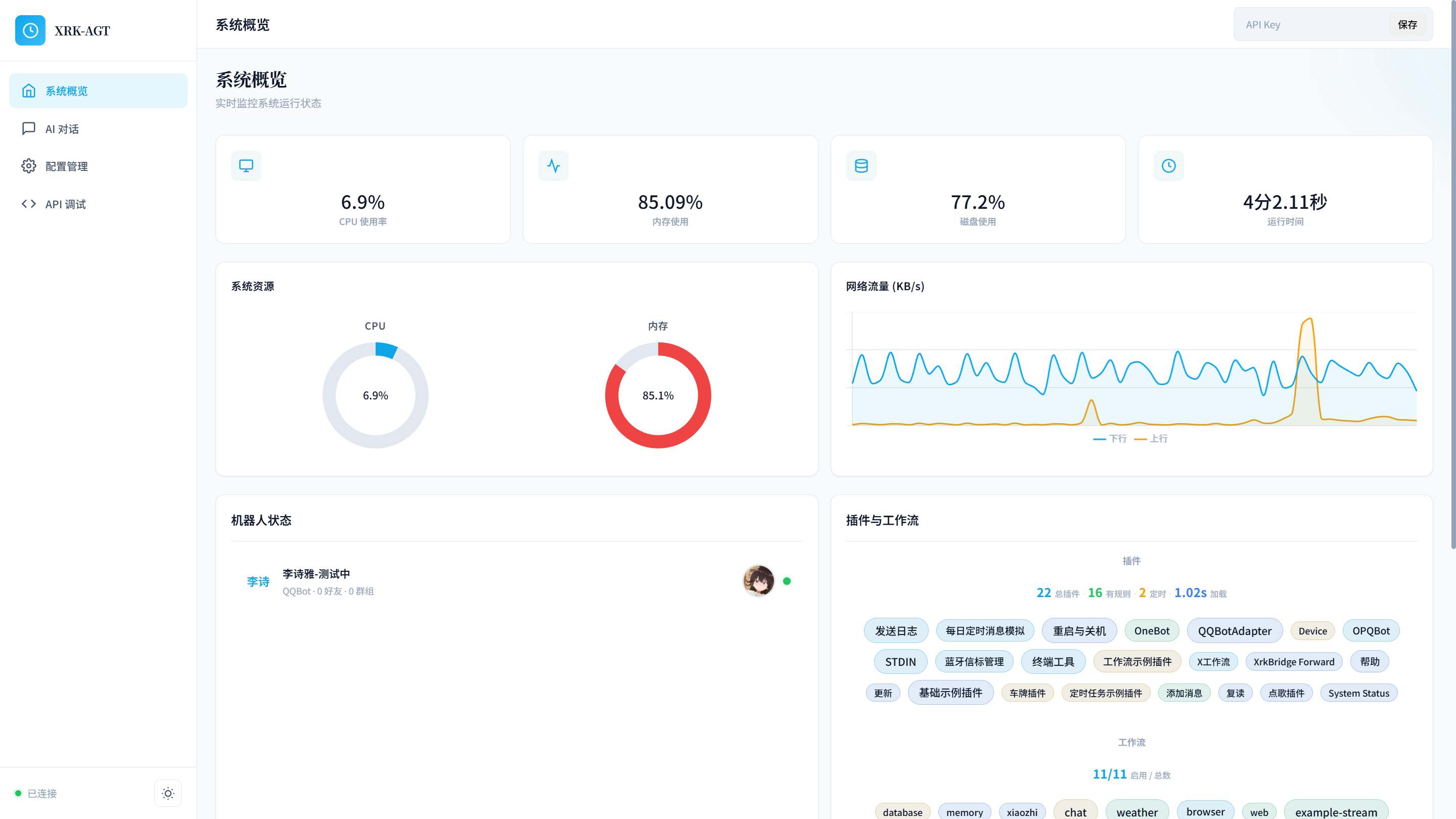
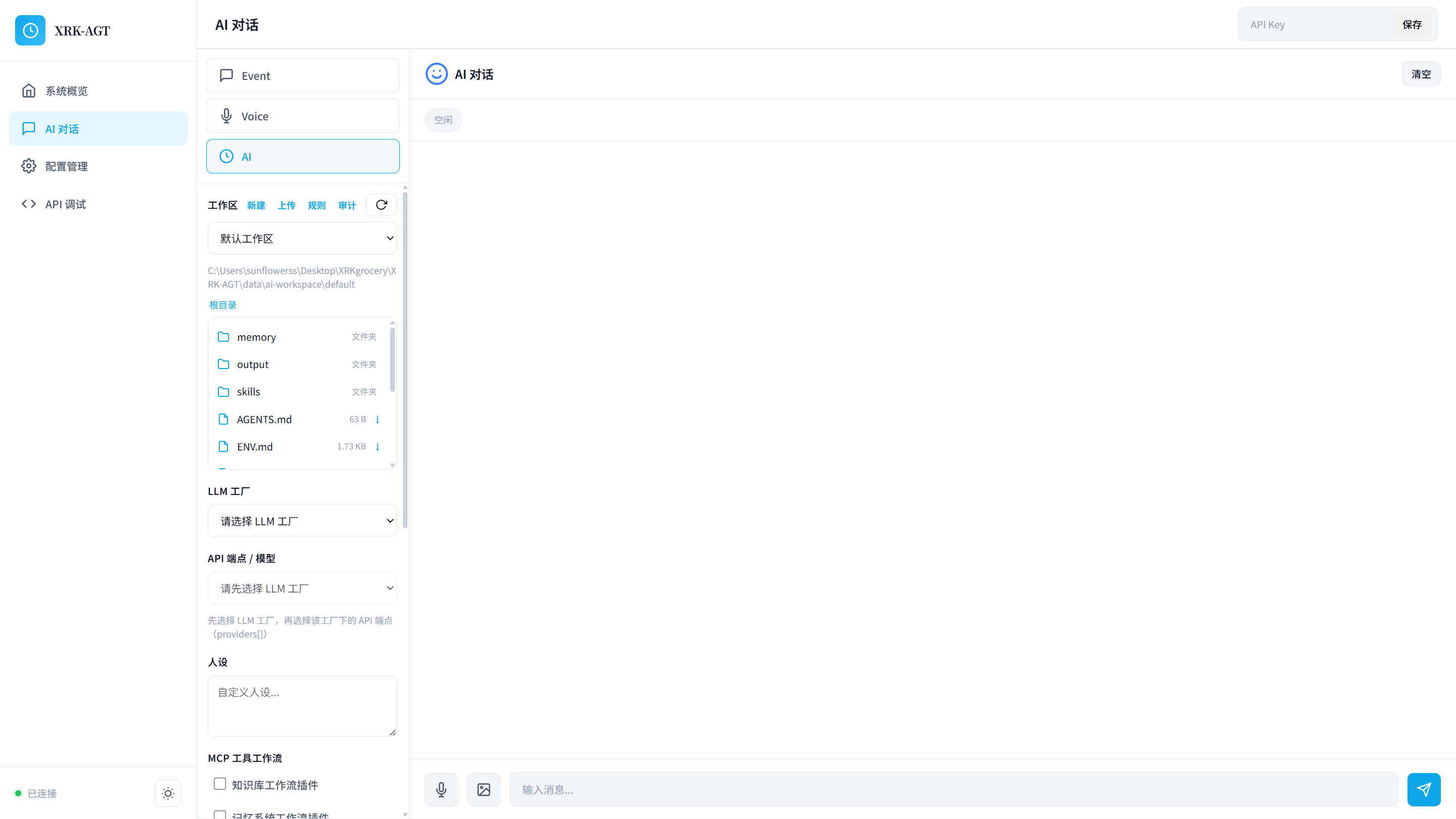
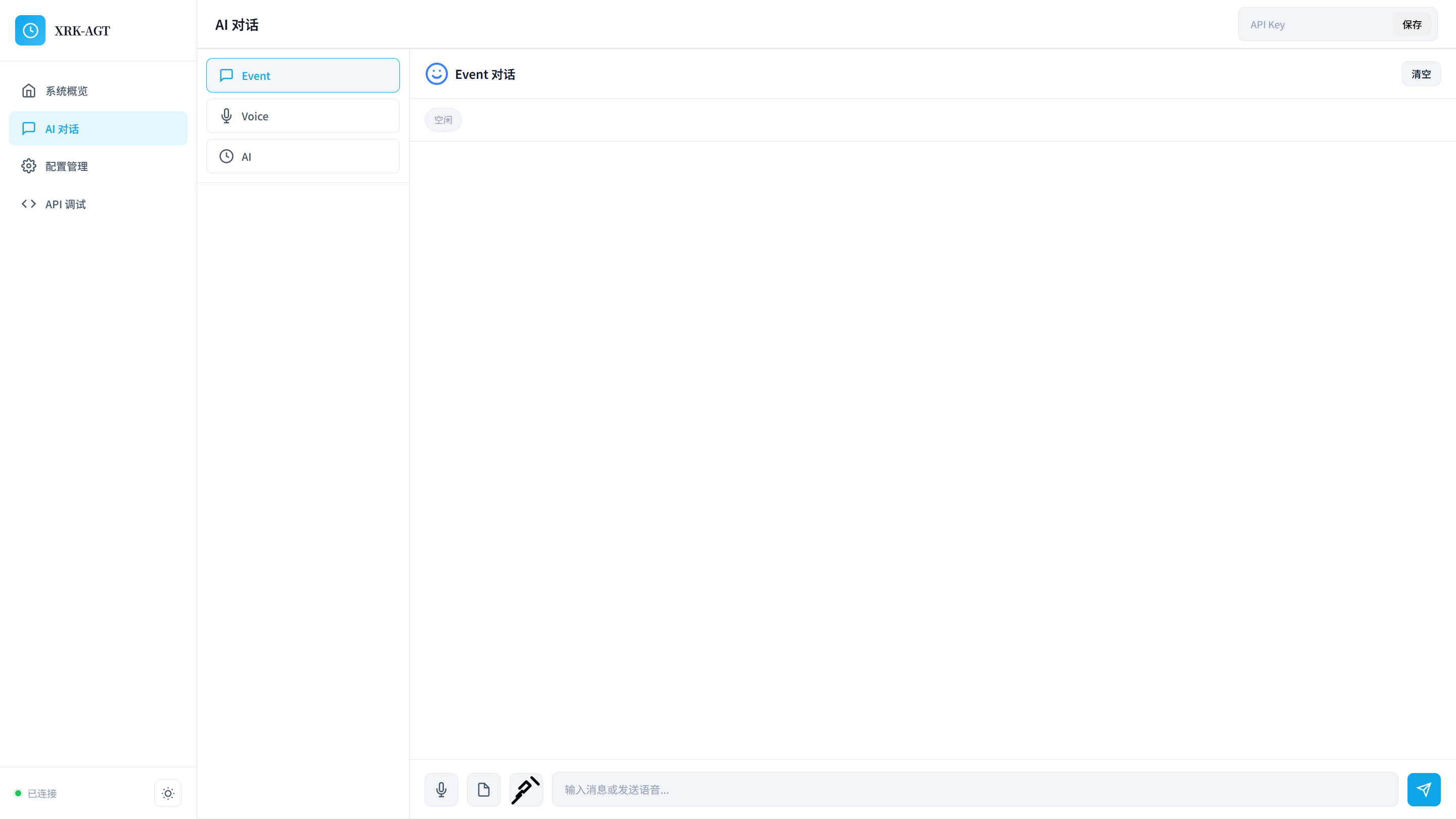
| 系统概览 | AI 对话 · MCP 工作流 |
|---|---|
 |  |
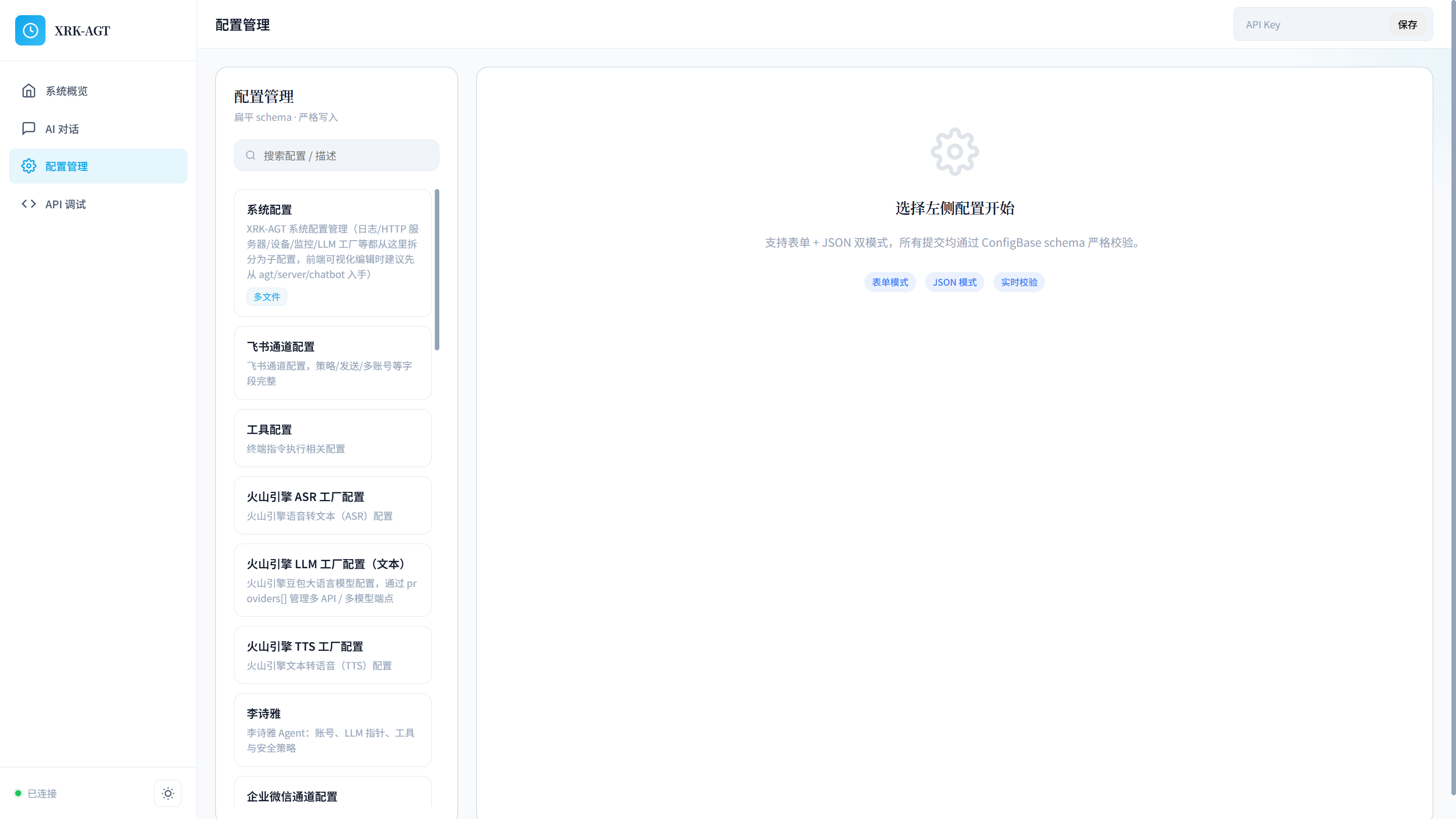
| 配置管理 | API 调试 · /api/health |
|---|---|
 | 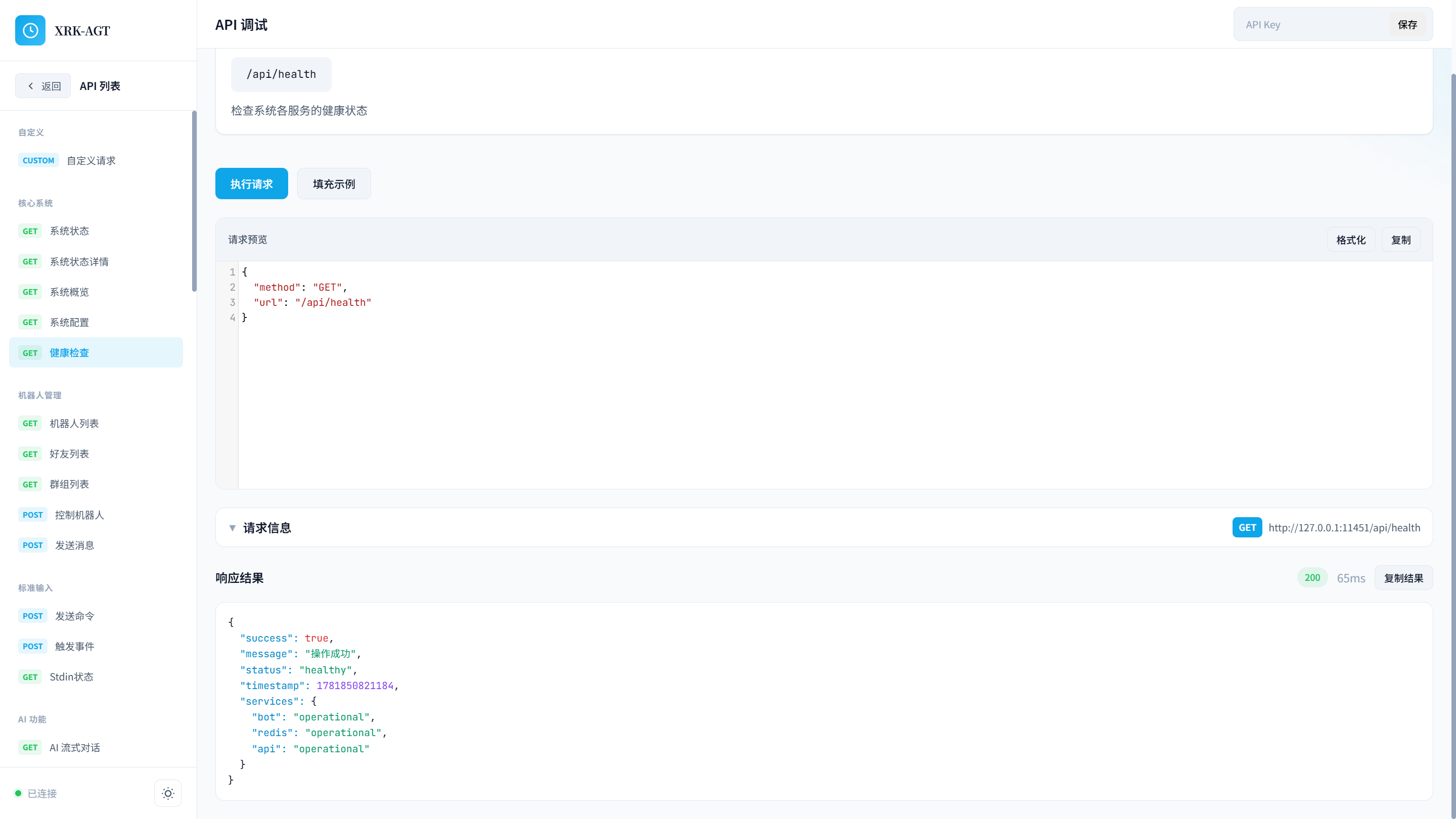 |
AI 对话(Event 模式)
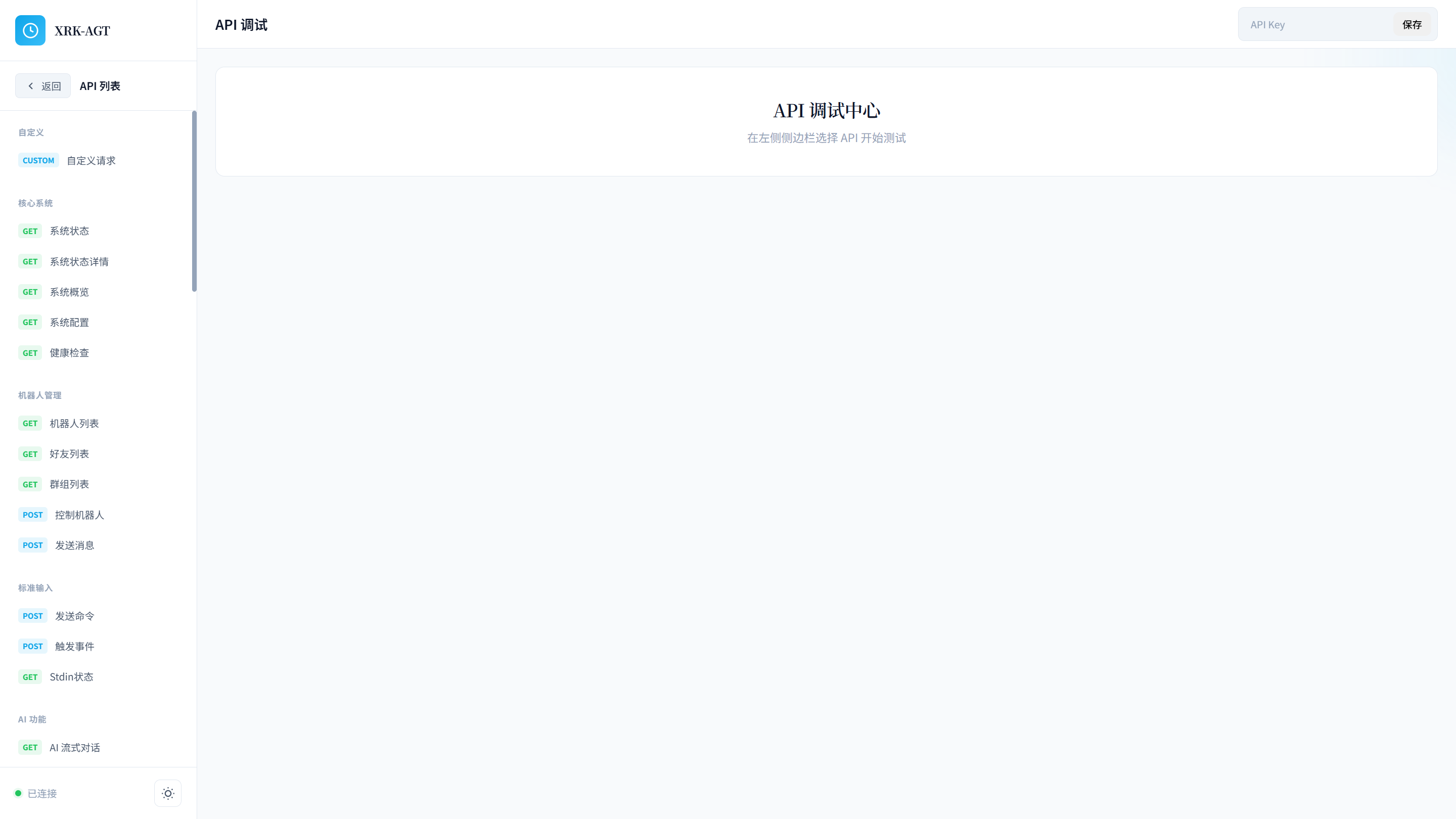
API 调试中心(端点列表)
如果你是第一次接触本项目:
docs/底层架构设计.md(单一架构图)docs/startup.mddocs/database.mdPROJECT_OVERVIEW.md · docs/README.mddocs/runtime-surface.md → docs/coding-style.md → docs/base-classes.mddocs/框架测试指南.md → docs/代码审查清单.mddocs/README.mdRuntime(src/bot.js)+ 基础设施(加载器、基类、工厂)+ Core 业务层(core/*/:插件、HTTP、工作流、Tasker)。分层图与 AI 链路仅维护于 docs/底层架构设计.md;启动链见 docs/startup.md;目录树见 PROJECT_OVERVIEW.md。
请使用浅克隆以减小下载体积(--depth=1 仅拉取最新提交):
# Github
git clone --depth=1 https://github.com/sunflowermm/XRK-AGT.git

# Gitee
git clone --depth=1 https://gitee.com/xrkseek/XRK-AGT.git

# Gitcode
git clone --depth=1 https://gitcode.com/Xrkseek/XRK-AGT.git

cd XRK-AGT
# 需 Node.js >= 26.0.0
pnpm install
Redis / MongoDB:正常运行需要两者至少其一可用(默认两者都连)。Docker 见下文;本机需自行安装或设 XRK_OPTIONAL_DB=1 做无库调试。配置与生命周期见 docs/database.md。
创建 .env 文件(可选;勿提交仓库):
# 主服务端口(默认 8080)
XRK_SERVER_PORT=8080

# 容器出网代理(可选;按本机代理软件端口填写,留空则不走代理)
# HTTP_PROXY=http://host.docker.internal:<端口>
# HTTPS_PROXY=http://host.docker.internal:<端口>
# NO_PROXY=127.0.0.1,localhost

# MongoDB 认证(可选)
MONGO_ROOT_USERNAME=admin
MONGO_ROOT_PASSWORD=password
XRK-AGT 支持多种启动方式,包括本地运行和 Docker 部署。
提示:Docker Compose 会一并构建可选的 Python 子服务端(FastAPI 扩展框架),主服务 LLM/工作流无需依赖子服务即可运行。
# 启动所有服务(包括主服务端和子服务端)
docker-compose up -d

# 查看日志
docker-compose logs -f

# 停止服务
docker-compose down
服务说明:
xrk-agt: 主服务端(端口:8080)xrk-subserver: Python 子服务端(端口:8000,自动构建)redis: Redis 缓存服务(端口:6379)mongodb: MongoDB 数据库服务(端口:27017)详细 Docker 部署指南:参见 docs/docker.md
Windows/Linux/macOS:
# 方式1:使用 app.js(推荐,自动检查依赖与环境后启动)
node app.js

# 方式2:使用启动脚本(会先经 app.js 做依赖检查再启动)
# Windows
start.bat

# Linux/macOS
chmod +x start.sh
./start.sh server 8080

# 方式3:node start 会重定向到 app.js,同样会做依赖检查
node start.js server 8080
指定端口:
# 环境变量
XRK_SERVER_PORT=3000 node app.js

# 命令行参数
node start.js server 3000
npx claudepluginhub sunflowermm/xrk-agtConnect Claude Code to the Viche agent network — discover, message, and collaborate with other AI agents in real-time
 viche-ai
Official Agno AI agent framework skill - build production-ready agents, multi-agent teams, workflows, MCP integrations, and deploy with AgentOS.
 agno-agi
Full GreenNode AgentBase lifecycle: scaffold → configure → deploy → monitor → teardown. 10 skills including /agentbase-wizard, /agentbase-deploy, /agentbase-monitor.
 vngcloud
Join the Cotal mesh — coordinate with other AI agents as lateral peers (presence, messaging, role requests) over NATS.
 Cotal-AI
Build, configure, and deploy AI agents using the Motus framework. The single /motus plugin includes guided agent creation and local or cloud deployment.
 lithos-ai
Station AI agent orchestration - create, manage, and run AI agents with 55+ MCP tools
 cloudshipai
'%20stop-opacity%3D'0.16'%2F%3E%3Cstop%20offset%3D'1'%20stop-color%3D'rgb(200%2C90%2C60)'%20stop-opacity%3D'0.03'%2F%3E%3C%2FlinearGradient%3E%3C%2Fdefs%3E%3Crect%20width%3D'320'%20height%3D'200'%20fill%3D'url(%23g)'%2F%3E%3Ccircle%20cx%3D'250'%20cy%3D'56'%20r%3D'92'%20fill%3D'rgb(200%2C90%2C60)'%20fill-opacity%3D'0.06'%2F%3E%3Ccircle%20cx%3D'64'%20cy%3D'172'%20r%3D'58'%20fill%3D'rgb(200%2C90%2C60)'%20fill-opacity%3D'0.05'%2F%3E%3C%2Fsvg%3E)
